Multilogin vs. GoLogin: A Practical Comparison for Multi-Account Users

Running multiple accounts isn’t hard anymore. Keeping them alive is. Platforms don’t just look at logins or IPs now; they connect browser fingerprints, behavior, sessions, and automation patterns. One weak signal is enough for a chain ban.
That’s why tools like Multilogin and GoLogin exist. Both promise profile isolation and safer multi-account workflows. But in practice, they behave very differently once you start scaling, automating, or working with sensitive platforms.
This comparison focuses on real-world use, not feature lists. If you’ve already dealt with suspensions, unstable sessions, or automation breaking mid-run, this breakdown shows where each tool holds up; and where it doesn’t. The goal is simple: help you choose the antidetect browser that actually supports long-term multi-account work instead of creating new problems.
What is Multilogin?
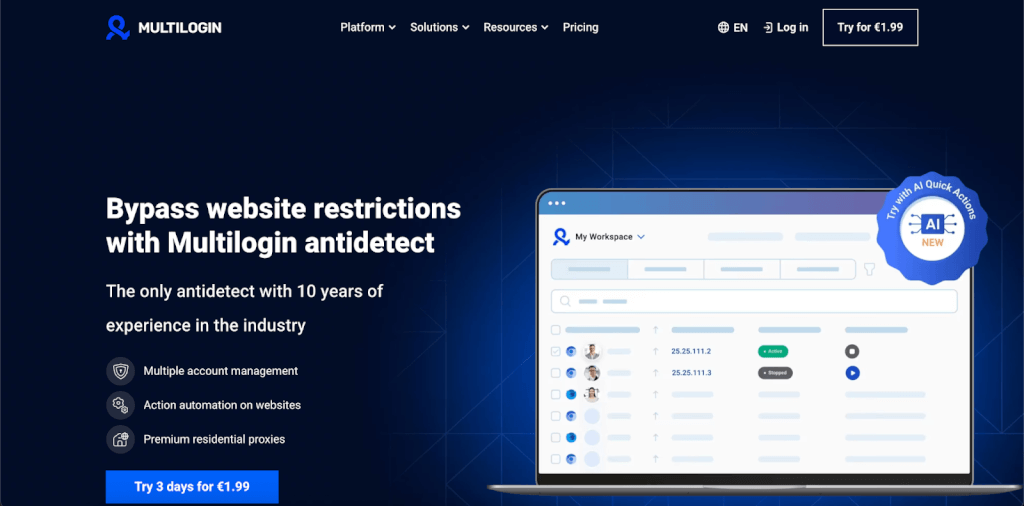
Multilogin is an antidetect browser built to prevent accounts from getting linked and banned when you manage more than one identity online. That includes freelancers, small businesses, agencies, and teams that rely on multiple accounts to operate day after day. Platforms don’t just look at logins or IPs anymore. They track devices, behavior, cookies, and patterns over time. Multilogin addresses that by giving each account its own fully isolated browser environment; its own fingerprint, storage, cookies, and session history. You’re not switching tabs. You’re running separate, real browser identities that don’t leak signals into each other.
What makes Multilogin practical is that you don’t need advanced setup or technical tuning to get this protection. Profiles are created ready to use, fingerprints are matched automatically, and isolation is built in by default. This matters for small businesses that need stability without dedicating time to configuration or debugging. When something goes wrong; a flag, a review, or a ban — the damage stays contained. Other profiles don’t get dragged into the same review because they don’t share hidden signals. Instead of rebuilding everything after one mistake, you fix one profile and keep the rest running. That containment is the core value of Multilogin, and everything else — fingerprints, proxies, automation, and profile structure; exists to support it.

Designed to prevent chain bans
Most bans don’t happen alone. One account triggers a review, then others fall because they share hidden signals. Multilogin is built to stop that chain reaction. Each profile runs as its own complete identity; cookies, storage, fingerprint, IP, and session history are isolated by design. When a platform pushes back, you fix one profile, not your entire setup.
Real browser identities, not random masks
Multilogin controls 55+ fingerprint parameters, so profiles behave like real users, not patched devices. Signals stay consistent instead of scrambled:
- Browser type matches OS
- Hardware signals align
- Timezone, language, and IP make sense together
Profiles run on Mimic (Chromium) or Stealthfox (Firefox). If one browser engine gets flagged, you switch engines without rebuilding the profile.
Android mobile emulation built in
Many platforms are mobile-first. Desktop-only setups get flagged fast. Multilogin includes Android mobile profile emulation inside the browser, not as a separate app or workaround. That means mobile fingerprints, mobile behavior, and mobile consistency — without juggling devices or breaking isolation.
Built-In premium residential proxies (included in every plan)
Multilogin removes that risk by handling proxies directly inside the platform, so profiles never start on weak infrastructure. Built-in premium residential proxies are included for free in all plans, not sold as an add-on.
You get premium residential proxies included in all plans, with:
- 30M+ residential IPs
- 195+ countries
- Sticky sessions up to 24 hours
- Automatic IP quality filtering
Faster, safer account warm-up
Multilogin fixes that with pre-farmed cookies and a Cookie Robot that builds natural browsing history automatically. Profiles don’t start cold. They start used, which matters on platforms watching early behavior closely.
Automation without breaking isolation
Automation shouldn’t force risky shortcuts.
Multilogin works with Selenium, Playwright, Puppeteer, Postman, and CLI, so automated work stays isolated and controlled.
You can:
- Launch profiles by command
- Rotate proxies safely
- Run batch actions
- Separate automated sessions from manual ones
If something gets flagged, automation doesn’t infect other profiles.
One setup, any device
Multilogin runs on Windows, macOS, and Linux through the Multilogin X desktop app. Profiles sync instantly between web and desktop. You switch machines, teammates, or locations without resetting identities.
Built for teams without extra seats
Multilogin supports team collaboration with role-based access and activity tracking. Profiles can be shared securely, work stays isolated, and actions remain traceable so issues don’t spread across accounts.
Data privacy and security standards
Multilogin is GDPR-compliant and based in Europe.
That means:
- AES-encrypted data
- Hashed passwords
- Encrypted sessions
- Automatic data deletion 3 months after cancellation
Profiles aren’t recycled. Data doesn’t linger.
24/7 customer support
Multilogin provides 24/7 live support in 5 languages and runs daily tests on 50+ platforms, so issues are spotted early and fixes come fast.
What is Gologin?
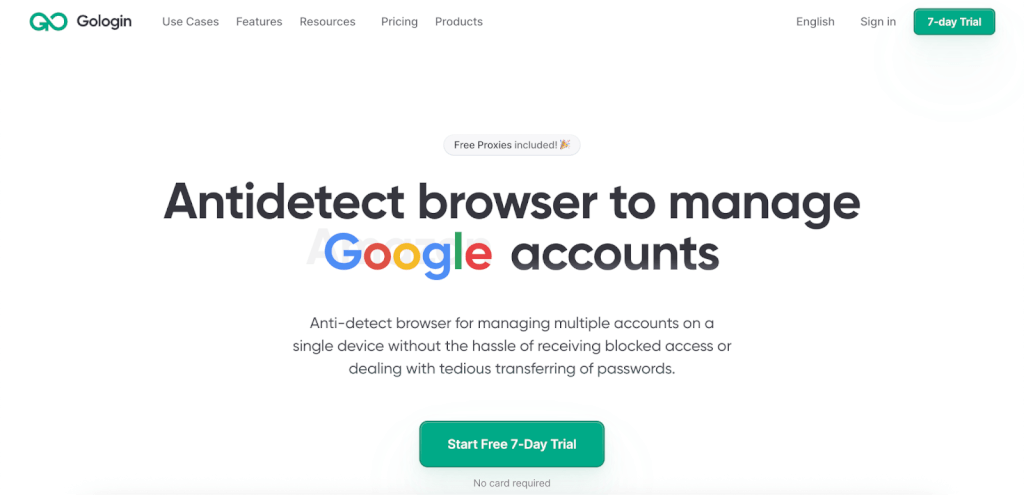
GoLogin is an antidetect browser that allows users to run multiple browser profiles from a single device. Each profile has its own cookies, local storage, and basic fingerprint separation, which helps reduce direct account overlap on platforms that restrict multi-account usage. The tool is commonly used for simple profile isolation and low-volume workflows.
However, GoLogin is built around manual control rather than systemic risk containment. As the number of profiles grows or platforms apply stricter checks, users must actively manage fingerprints, proxies, and automation stability to prevent issues from spreading across accounts.
Browser profiles & fingerprinting
- Provides separate browser profiles with isolated cookies and storage
- Offers basic fingerprint customization (user agent, timezone, WebGL, etc.)
- Fingerprint depth is limited, and consistency depends on manual configuration
Proxy support
- Supports third-party HTTP and SOCKS proxies
- Allows users to assign different proxies per profile
- Includes residential proxy traffic, but only for some of the plans
- Misconfigured or weak IPs can affect profile stability
Automation
- Supports automation via API
- Works with Puppeteer, Selenium, and Playwright
- Does not support Postman or CLI-based automation
- No no-code automation tools or batch action system
- No action chaining or workflow orchestration
- Debugging, WebSocket handling, and error recovery are manual
- Scaling automation requires additional tooling and ongoing maintenance
Desktop & platform support
- Available on Windows, macOS, and Linux
- Profiles are managed locally with optional cloud sync
- Cross-device or team-based workflows require coordination to avoid conflicts
Team collaboration
- Supports team access on higher-tier plans
- Allows profile sharing between users
- Team seats are limited by plan, which can restrict scaling
- No built-in safeguards to prevent mistakes from affecting shared environments
Security & data handling
- Uses standard encryption and account protection measures
- Not positioned as GDPR-first infrastructure
- Data lifecycle policies are less explicit compared to enterprise-focused tools
Customer support
- GoLogin offers live chat support for user questions and basic troubleshooting
- Support is available directly inside the platform
- User feedback from those who have used both tools often notes lower technical depth, especially for complex cases involving fingerprint conflicts, automation issues, or large-scale setups
- Advanced troubleshooting typically requires more back-and-forth, which can slow resolution when accounts are already under risk
Multilogin vs. GoLogin: Which antidetect browser works better?
When you manage multiple accounts seriously, the real test doesn’t come on day one. It shows up later, when platforms tighten checks, accounts get reviewed, and small mistakes start causing real damage. At that stage, the difference between antidetect browsers becomes very clear.
User experience: Daily work at scale
GoLogin feels approachable in the beginning. Creating profiles is simple, and casual users won’t feel overwhelmed. The problems start once the number of profiles grows. Navigation becomes slower, organizing accounts takes more effort, and simple actions often require extra clicks. For people managing accounts every day, that friction adds up quickly.
Multilogin is built for daily work that needs to stay organized and predictable, whether you’re a solo operator, a small business handling multiple client or brand accounts, or a larger team running campaigns at scale. Profiles are easy to group, search, and manage across projects or clients, without digging through cluttered menus. The Multilogin X interface stays responsive even with hundreds of active profiles, which makes a real difference during long workdays. Instead of fighting the interface, you spend your time fixing issues, scaling accounts, and keeping operations stable—where it actually matters.
Proxy infrastructure: Where most setups fail
GoLogin does include built-in residential proxies, but they are limited to specific plans and are generally positioned as an add-on rather than core infrastructure. While this can work for low-volume use, user feedback often points to inconsistent IP quality, which can lead to detection, account reviews, or bans on stricter platforms over time. Traffic caps are relatively low, rotation options are basic, and IP reuse becomes more common as volume increases. Session consistency, location alignment, and overall proxy reliability remain largely user-managed, increasing the risk of subtle fingerprint mismatches and gradual detection as setups scale.
Multilogin removes that uncertainty by handling proxies inside the platform. Premium residential proxies are built in and included in all plans, which means profiles don’t start on weak infrastructure. Users get access to 30M+ residential IPs across 195+ countries, with sticky sessions up to 24 hours and automatic IP quality filtering. Risky IPs are filtered out before they ever touch a profile. If someone already trusts an external provider, they can still use it, but they’re no longer forced to rely on external quality checks.
Fingerprinting: Where detection actually happens
GoLogin allows basic fingerprint adjustments, which may be enough for lower-risk platforms. However, fingerprints often stay too close to the host machine, and maintaining stability on stricter platforms usually requires constant manual tuning. As detection systems evolve, those limits become harder to work around.
Multilogin takes a consistency-first approach to fingerprinting. It controls 55+ fingerprint parameters, keeping browser signals aligned instead of patched together. Profiles run on Mimic (Chromium) or Stealthfox (Firefox), which allows users to switch engines when platforms treat one browser more harshly than the other. Android mobile emulation is also built in, so mobile-first platforms don’t see mismatched signals. To reduce early failures, Multilogin includes pre-farmed cookies and a Cookie Robot that builds natural browsing history automatically.
Automation without cross-contamination
GoLogin supports automation through its API and works with Selenium, Puppeteer, and Playwright. For simple workflows, that can be enough. As setups grow more complex, however, users often need to manage debugging, isolation, and WebSocket handling manually, which increases the risk of mistakes spreading across profiles.
Multilogin is built for automation without breaking isolation. It integrates with Selenium, Playwright, Puppeteer, Postman, CLI, and OpenAPI, allowing teams to launch profiles by command, rotate proxies safely, and run batch actions while keeping sessions fully separated. Automated and manual workflows stay isolated, so when one account gets flagged, the rest remain unaffected.
Support when accounts are under pressure
GoLogin offers live chat support, but many users who have worked with both platforms report slower resolution on deeper technical issues. During bans or verification loops, that delay can be costly.
Multilogin provides 24/7 live support in five languages and runs daily tests across 50+ platforms. That means issues are spotted earlier and solved by people who deal with detection systems every day, not after problems have already escalated.
Real cost over time
GoLogin may appear more affordable upfront, especially since certain plans include limited residential proxy traffic. However, once sessions run longer or account volume increases, that traffic is often insufficient. At that point, users typically rely on external proxies and manual recovery work, which gradually removes the initial price advantage.
Multilogin bundles the infrastructure most users end up paying for anyway. You can start with a €1.99 three-day trial, which includes profiles and premium residential proxy traffic, and scale without rebuilding your setup as your operation grows
Final verdict: Multilogin or GoLogin?
GoLogin works if your setup is small, low-risk, and mostly manual. It gives you basic profile separation and enough tools to get started, but it puts the burden of stability on you. Proxies, fingerprints, automation safety, and recovery all depend on constant tuning. As platforms get stricter or volumes grow, that pressure shows fast.
Multilogin is built for what happens next. When accounts get reviewed. When automation runs daily. When one mistake shouldn’t wipe out everything else. With full profile isolation, 55+ aligned fingerprint parameters, built-in premium residential proxies included in every plan, Android mobile emulation, and automation that doesn’t leak signals, Multilogin is designed to keep damage contained instead of spreading. It works without advanced setup, supports freelancers and small businesses just as well as large teams, and scales without forcing you to rebuild your workflow.
FAQs
1. Is Multilogin harder to use than GoLogin?
No. Multilogin is more powerful, but it doesn’t require advanced setup. Profiles are created ready to use, fingerprints are matched automatically, and proxies are handled inside the platform. Many users find it easier once they move beyond a few profiles.
2. Why do accounts survive longer on Multilogin?
Because Multilogin focuses on consistency and isolation. Each profile has its own fingerprint, cookies, storage, IP, and session history. If one account gets flagged, the others don’t share hidden signals, so bans don’t cascade.
3. Does Multilogin include proxies, or do I need my own?
Yes, proxies are included. All Multilogin plans come with built-in premium residential proxies, including:
- 30M+ residential IPs
- 195+ countries
- Sticky sessions up to 24 hours
- Automatic IP quality filtering
You can still plug in your own provider if you prefer.
4. Can I automate safely with Multilogin?
Yes. Multilogin supports Selenium, Playwright, Puppeteer, Postman, CLI, and OpenAPI. Automated and manual sessions stay isolated, so automation issues don’t infect other profiles. Batch actions and safe proxy rotation are built in.
Читайте также на ForumDaily:
Why People Who Give Are Often the Happiest: Science-Backed Reasons
Unlocking Global Mobility: Citizenship by Investment Strategies for International Investors
The Surprising Benefits of Solving Jigsaw Puzzles for All Ages
How to Rent a Car in Dubai for a Month: A Guide for Emigrants and Tourists
Подписывайтесь на ForumDaily в Google NewsХотите больше важных и интересных новостей о жизни в США и иммиграции в Америку? — Поддержите нас донатом! А еще подписывайтесь на нашу страницу в Facebook. Выбирайте опцию «Приоритет в показе» — и читайте нас первыми. Кроме того, не забудьте оформить подписку на наш канал в Telegram и в Instagram— там много интересного. И присоединяйтесь к тысячам читателей ForumDaily New York — там вас ждет масса интересной и позитивной информации о жизни в мегаполисе.








Выбор редакции